Dashainko Dakshina: 18% OFF on All Courses!

Sketchup Training in Nepal
Sketchup Training in Kathmandu, Nepal




Thousands of students have started their careers after getting certified by Broadway Infosys
Updated On: 26/04/2026
Created On: 11/06/2017
Course Overview
The training course on Sketchup is primarily targeted at professional designer and architects in architecture, engineering and construction industry. However, any individual with keen interest in designing buildings and other structures digitally can pursue Sketchup training to develop and enhance their professional design skills.
The sketchup training course offers the understanding and skills of 3D designing for architecture, construction, engineering, urban planning, 3D printing, game design, event stage design, interior design etc. Thus, Sketchup has got wider scope that is enough to allure the individuals to pursue career in professional designing using digital resources
Tools Covered
Some of the major industry-relevant tools you'll work with in this course include:
-
SketchUp (Pro)
-
V-Ray
-
Google Earth
-
3D Warehouse
-
AutoCAD (import)
Students who got hired learning with us
Hear from graduates who have completed our courses.
College/Faculty: Global College of Management / BBS
Working At: Travel Maker South Asia Pvt. Ltd.
Position: Digital Marketer
College/Faculty: Kathford International College of Engineering & Management / Bachelor’s in Computer Engineering
Working At: Sajha Infotech
Position: Python Django Intern
College/Faculty: Citizen College / BCA
Working At: IMS Software Pvt. Ltd.
Position: Software Support Engineer
College/Faculty: Himalaya College of Engineering / BSc.CSIT
Working At: Tech Spherex
Position: L1 Support
Our graduates are hired by 470+ companies in Nepal
Time for you to be the next hire. With our advanced and industry relevant courses, you are on the right stage to start your dream career.

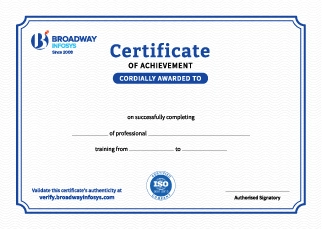
Earn a High Value Industry Certificate
Add this credential to your LinkedIn profile, resume, or CV to stand out to recruiters.
Already earned a certificate?
Verify it here
Frequently Asked Questions
- Basic computer knowledge is recommended.
- No prior SketchUp experience is required.
- Basic knowledge of design, architecture, or construction is helpful but not mandatory.
- Beginners with an interest in 3D modeling can join the training.
- Familiarity with basic drawing concepts can be an advantage.
After completing the training, you will be able to create 2D and 3D models, develop architectural, interior, and exterior designs, apply materials and textures, and create professional 3D visualizations. You will also gain practical skills to work on real-world projects, build a portfolio, and use SketchUp for architecture, civil engineering, interior design, and freelance work.
You will receive trainer guidance throughout the course, including help with SketchUp tools, modeling techniques, project work, materials, visualization, and common modeling challenges.
Yes. You can discuss a suitable schedule with the training team based on your availability and requirements. One-to-one and group-based training options may also be available.
Our course is available in hybrid training mode. You can attend in person or join online, whichever works for you. If you cannot attend in person on a particular day, you can join the class online.
The course pricing varies depending on the subject and level. For detailed information on the course price, please contact us directly: +977-9841002000 / +977-1-4111849. Our team will be happy to guide you or send us an email at [email protected].
Our syllabus outlines are only the headlines of the major modules. To ensure a complete understanding of the course, we offer free counseling. Also, if you have specific modules in mind, you can customize the course. Send your inquiry today!
Lesson 1:
- Installing SketchUp Starting SketchUp for the first time
- Using the exercise files
- Tips for Mac users
- Interface basics
- Adding toolbars
- Navigating
- Changing perspective
- Walking around
- Creating camera views
- Shading faces and edges
- Creating shadows and fog
- Creating Scenes
- Setting preferences
- Selecting and moving objects
- Scaling and rotating objects
- Manipulating faces and edges
- Advanced selection tools
- Line tool fundamentals
- Refining objects with the Line tool
- Using the Rectangle tool
- Pushing and pulling faces into 3D
- Creating circles and polygons
- Creating arcs
- Using the Offset tool to create outlines
- Using the Follow-Me tool
- Softening round edges
- Creating 3D text
- Using the Tape Measure tool
- Using the Protractor tool
- Creating text labels
- Using the Dimension tool
- Creating sections
- The Component window
- Creating components
- Using the 3D Warehouse
- Importing from Google Earth
- Using the Interact tool
- Using the Component Options window
- Grouping objects
- Working with layers
- Creating layers
- Using the Outliner
- Hiding and unhiding objects
- Locking and unlocking objects
- Using the Materials Browser on a Mac
- Applying materials
- Editing materials
- Creating materials
- Adjusting materials
- Applying bitmap images
- Mapping curved objects
- Projecting maps on curved objects
- Importing floor plans
- Modeling with floor plans
- Rendering and Animating
- Outputting 2D bitmaps
- Basic animation
- Advanced animation
- Creating terrain from contours
- Modeling objects with contours
- Creating terrain from scratch
- Sculpting with the Smoove tool
- Stamping and draping objects on the terrain
- Geolocation with Google Maps
- Using Photo Match to align cameras
- Modeling in Photo Match
- Creating solids
- Using Boolean operations (Union, Intersect, Subtract)
- Working with Trim and Split
- Creating outer shells
- Importing objects from AutoCAD
- Importing other 3D objects
- Exporting objects
- Modeling of modern residential building
- Modeling of Classical Bungalow
- Modeling of landscape of terrain
- Interior modeling
- Exterior & Interior render using V-ray
SolidWorks Training
Revit Architecture Training
ETABS Training

SAP Training

AutoCAD Training
Why Sketchup Training?
One Skill, Multiple Industries: Apply 3D modeling across architecture, interior design, urban planning, game design, and even 3D printing a versatile skill, not a single-use tool.
From Basics to Pro-Level Tools: Progress from core drawing tools to SketchUp Pro's solid tools, Boolean operations, and Photo Match, gaining real depth beyond beginner modeling.
Real-World Site Integration: Learn geolocation with Google Maps, terrain modeling with Sandbox, and floor plan import practical skills for real architectural sites, not just isolated exercises.
Render-Ready Visuals: Master materials, textures, and V-Ray rendering for interior and exterior scenes to produce presentation-quality visuals clients can actually approve.
Global Career Scope: Opens doors to opportunities with international companies, backed by SketchUp's wide use across architecture, engineering, and construction worldwide.