Dashainko Dakshina: 18% OFF on All Courses!

git Training in Nepal
git,Github & GitLab




Thousands of students have started their careers after getting certified by Broadway Infosys
Updated On: 27/04/2026
Created On: 17/06/2022
Course Overview
In order to view the course content for the upcoming 6 Hours' Online Git Course, click here.
Broadway Infosys has introduced Git training in Nepal to make the students familiar with free and open source software Git designed to version control resource, manpower and projects.
Since Git shares a large platform for new ideas and solutions, Broadway is bent on scheduling Git training in Nepal so that Nepalese IT enthusiasts can brandish their notion and concepts in the global market. This course is administered in a career-oriented manner with an objective to help candidates become a big-time IT developer. In any case, an area of IT is an open door with Broadway providing Git training in Nepal.
Tools Covered
Some of the major industry-relevant tools you'll work with in this course include:
-
Git
-
GitHub
-
GitLab
-
Bitbucket
Students who got hired learning with us
Hear from graduates who have completed our courses.
College/Faculty: Nepal Commerce Campus / Bachelor in Information Management
Working At: Mero Coding Class
Position: Python Instructor
College/Faculty: The British College / Bsc (Hons) Computing
Working At: Codavatar Tech
Position: UI/UX Design Intern
College/Faculty: Islington College / Bsc(Hons) Computing
Working At: Bibhuti Solution Pvt. Ltd.
Position: Project Manager
College/Faculty: Apex College / BCIS
Working At: Delta Creation Pvt. Ltd
Position: Front-End Web Developer
Our graduates are hired by 470+ companies in Nepal
Time for you to be the next hire. With our advanced and industry relevant courses, you are on the right stage to start your dream career.

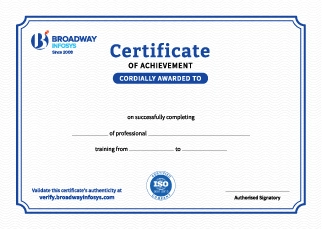
Earn a High Value Industry Certificate
Add this credential to your LinkedIn profile, resume, or CV to stand out to recruiters.
Already earned a certificate?
Verify it here
Frequently Asked Questions
- Basic computer knowledge is recommended.
- No prior Git or GitHub experience is required.
- Basic understanding of programming or web development is helpful.
- No advanced programming skills are required.
- Beginners can join the training and learn Git from the fundamentals.
Not necessarily. Git itself is a version control tool rather than a programming language. However, if you already have basic knowledge of programming or software development, you may find it easier to understand how Git fits into your development workflow.
The training covers the practical Git workflow, including creating repositories, tracking changes, staging and committing files, working with branches, merging changes, resolving conflicts, using remote repositories, and collaborating through platforms such as GitHub.
Yes. GitHub is an important part of modern Git-based collaboration. The training can cover working with remote repositories, pushing and pulling code, cloning repositories, branches, pull requests, collaboration, and other commonly used GitHub workflows.
Yes. Git can be useful for students, IT graduates, aspiring developers, and professionals who want to build practical software-development skills. Learning Git early can also help with academic, personal, or professional projects.
You can receive guidance from trainers as you learn Git concepts and work through practical exercises. You can ask questions, clarify Git commands and workflows, and get assistance when working through common Git-related problems.
Yes. Depending on your requirements, you can discuss suitable schedules with the training team. One-to-one training and group-based learning options may also be available.
Our course is in hybrid training mode; you can attend in person or join online, whichever works for you. If you can’t make it in person on a given day, you can simply join that class online instead.
The course pricing varies depending on the subject and level. For detailed information on the course price, please contact us directly: +977-9841002000 / +977-1-4111849. Our team will be happy to guide you or send us an email at [email protected].
Our syllabus outlines are only the headlines of the major modules. To ensure a complete understanding of the course, we offer free counseling. Also, if you have specific modules in mind, you can customize the course. Send your inquiry today!
Lesson 1: Git and GitHub Training in Nepal
- Welcome and Course Goals
- Course Overview
- Course Study Tips
- Why Command Line?
- Why Source Control?
- Why Git?
- Key Git Terminology
- Installation Overview
- Installing Git for Windows
- Installing Git on Mac OS X
- Github
- Bitbucket
- Gitlab
- Basic Commands Overview
- Starting with a Fresh Project (git init)
- Adding Git to an Existing Project (git init)
- Starting on GitHub by Joining an Existing Project (git clone)
- Basic Git Workflow (add, commit, pull & push)
- Tracked Files
- Editing Files
- Recursive Add
- Backing Out Changes
- Renaming and Moving Files
- Deleting Files
- History
- Git Alias
- Ignoring Unwanted Files and Folders
- Cleanup and Back to Origin (GitHub)
- Git Basics Resources
- Branching Basics
- Happy Path / Fast Forward Merges
- Happy Path / Disable Fast Forward Merges
- Automatic Merges
- Conflicting Merges and Resolution
- Section Cleanup and Push back to GitHub
- Simple Rebase Example
- Setup for rebasing conflict
- Multiple remote, fetch
- Simple illustrated example
Why git Training?
Version Control Skills: Learn Git to track, manage, and control changes across software development projects.
Repository Management: Work with repositories, commits, branches, tags, and remotes to manage source code efficiently.
Branching & Merging: Learn branching strategies, merge workflows, conflict resolution, and collaborative development practices.
Remote Collaboration: Use Git with platforms such as GitHub and GitLab to share code and manage team-based projects.
Practical Workflows: Practice common Git commands and workflows used in real-world software development environments.