Dashainko Dakshina: 18% OFF on All Courses!

InDesign Training
InDesign Training in Nepal




Thousands of students have started their careers after getting certified by Broadway Infosys
Updated On: 27/04/2026
Created On: 05/09/2017
Course Overview
This special design training aims to make students familiar with popular professional desktop publishing application i.e. Adobe InDesign. The target audience includes designers, print media professionals, advertisers and digital marketing professionals and so on. Broadway offers fully career-oriented Adobe InDesign training in Nepal to make students capable of designing brochures, flyers, posters, magazines, newspapers and books for business purposes.
Tools Covered
Some of the major industry-relevant tools you'll work with in this course include:
-
Adobe InDesign CC
-
Adobe Bridge
-
Adobe Acrobat PDF
What Our Students Say About InDesign Training

Rakesh Ray
InDesign Training
I am frankly speaking BroadwayInfosyss Nepal is one of the best IT institutes in this city and to make a friendly environment with highly experienced teachers and well infrastructure. Broadway Infosys Nepal is the big platform for those students who...

Sushmita Karki
InDesign Training
An instructor is a good person and a good teacher too. The way he teaches us that is really appreciated and impressive. I would like to study with him again and also would glad to be work with him in...

Amita Lama
Illustrator Training
By joining Graphic Design class in BroadwayInfosys Nepal I the got best opportunity to present my skills with the help of an excellent teacher. Broadway Infosys is the best experience of mine. I am satisfied with whatever I have learnt. Thank...
Students who got hired learning with us
Hear from graduates who have completed our courses.
College/Faculty: Kantipur Engineering College / Bachelor of Computer Engineering
Working At: InfoDevelopers Pvt. Ltd.
Position: AI engineer Trainee
College/Faculty: Patan Multiple Campus / BSc.CSIT
Working At: Dakshyata Institute of Research and Studies
Position: Junior Backend Developer
College/Faculty: Nepal College of Information Technology ( NCIT) / BCA
Working At: Access World Tech Pvt. Ltd.
Position: Junior System Admin
College/Faculty: Kantipur College of Management and Information Technology / BIM
Working At: RetailCare
Position: Mid-Level Laravel Developer
Our graduates are hired by 470+ companies in Nepal
Time for you to be the next hire. With our advanced and industry relevant courses, you are on the right stage to start your dream career.

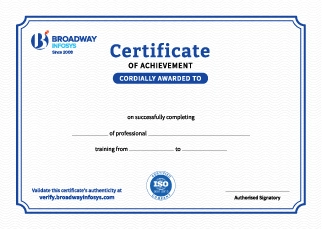
Earn a High Value Industry Certificate
Add this credential to your LinkedIn profile, resume, or CV to stand out to recruiters.
Already earned a certificate?
Verify it here
Frequently Asked Questions
- Basic computer knowledge is recommended.
- No prior InDesign experience is required.
- Basic knowledge of graphic design is helpful but not mandatory.
- No professional design experience is required.
- Beginners interested in layout and publication design can join.
InDesign tools and workspace, document setup, page layouts, typography, text formatting, paragraph and character styles, images, graphics, master pages, tables, color management, page numbering, prepress, and professional document exporting.
InDesign skills can support roles and freelance opportunities such as:
- Graphic Designer
- Publication Designer
- Layout Designer
- Editorial Designer
- Print Designer
- DTP Designer
- Freelance Designer
Additional knowledge of Photoshop, Illustrator, branding, and other design tools can expand career opportunities.
You will receive trainer guidance throughout the course, including help with InDesign tools, page layouts, typography, document setup, practical projects, print preparation, and common design challenges.
Yes. You can discuss a suitable schedule with the training team based on your availability and requirements. One-to-one and group-based training options may also be available.
Our course is available in hybrid training mode. You can attend in person or join online, whichever works for you. If you cannot attend in person on a particular day, you can join the class online.
The course pricing varies depending on the subject and level. For detailed information on the course price, please contact us directly: +977-9841002000 / +977-1-4111849. Our team will be happy to guide you or send us an email at [email protected].
Our syllabus outlines are only the headlines of the major modules. To ensure a complete understanding of the course, we offer free counseling. Also, if you have specific modules in mind, you can customize the course. Send your inquiry today!
Lesson 1: Adobe InDesign CC
- The InDesign Workspace
- Using shortcuts
- Your workspace customization
- Fixing preferences – rulers, guides, layers
- Develop Master Pages
- Altering Layout
- Manage Text and Graphic Placement
- Create the Structure of a Document
- Develop Layers
- The Selection and Direct Selection Tool
- The Tool & Color Palettes
- Grids, rulers and guides
- Add/Edit & Spell Check
- Threading , Wrapping and Importing Text
- Applying and Editing Styles to text
- Change Text Threads
- Deal with missing fonts
- Hyphenation and justification
- The Eyedropper tool
- Drop caps creation
- Editing, Applying and Managing Paragraph Styles
- Formatting Characters and Paragraphs
- Proper Numbering of paragraphs
- Place Text on a path
- Flow text through multiple frames
- ‘Placeholder’ frames creation
- Text options
- Using the ‘tab’ command
- The Glyphs window
- Aligning, Arranging and Distributing
- The ‘place’ command
- Images and frames resizing
- Using ‘text wrap’
- Managing object layers
- Rotating objects
- Creating special effects
- Shape and corner options>
- Transforming Objects
- Group & Ungroup
- Duplicating, Rotating, Scaling, Skewing, Mirroring
- Managing Transparency
- Settings for ‘fill’ and ‘stroke’
- Adding and converting Pantone colors
- Create, use and edit solid colors and gradients
- Threading/unthreading frames
- Flowing text through frames and Multi-column text frames
- Using special characters
- Hanging punctuation
- Composition options
- Document baseline grids
- Common Graphic file formats
- Import & Enhance Graphics Files
- Simple, compound & custom Image Frames
- Fitting options
- Inline graphics
- Creating Text Run-arounds
- Tolerance and threshold options
- Clipping Paths, Alpha channels
- Inner Shadow
- Gradient Feather
- Bevel and Emboss
- Inner and Outer Glow
- Create, Modify and Format a Table
- Using multiple master pages
- Adding and deleting pages
- Working with master pages
- Automatic page numbering
- Creating new numbering sections
- The ‘book’ option
- Templates and libraries
- Importing swatches
- Using Adobe Bridge
- Checking documents for problems
- Printing
- Package Files
- PostScript, preflighting and Packaging
- Preview Output & options
- Print, Separation, Flattening
- Creating high and low resoultion Adobe Acrobat PDF Files
- Creating a low-res PDF for the web

Javascript & Jquery Training

UI/UX Design Training



Web Design Training

InDesign Training

Illustrator Training


Photoshop Training

PHP Training
Graphics Design Training
Why InDesign Training?
Professional Layout Skills: Learn InDesign to create clean and professional layouts for print and digital publications.
Design & Publishing: Create brochures, magazines, books, flyers, reports, and other professional documents.
Industry-Standard Software: Develop practical skills using Adobe InDesign and professional publishing workflows.
Practical Projects: Work on real-world design projects to build confidence and strengthen your portfolio.
Career-Ready Skills: Prepare for opportunities in graphic design, publishing, advertising, and digital media.
Expert Guidance: Learn design and layout techniques with support from experienced instructors.